What is new?
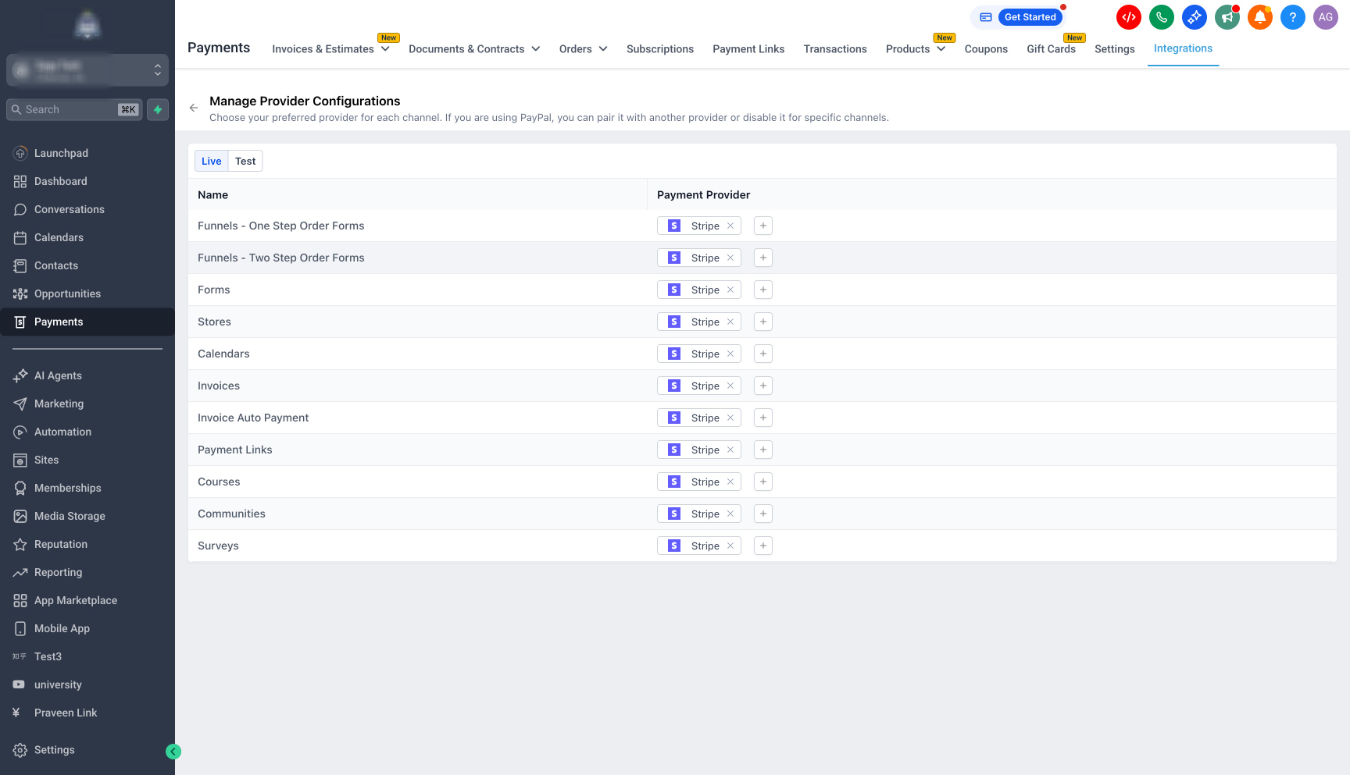
- You can now set a default payment provider/processors for each channel, separately for Live mode and Test mode, at the account level.
- This channel-level configuration overrides the account default payment provider, giving you more control over where each payment processor is used.
How does it works?
- Log in to the platform dashboard
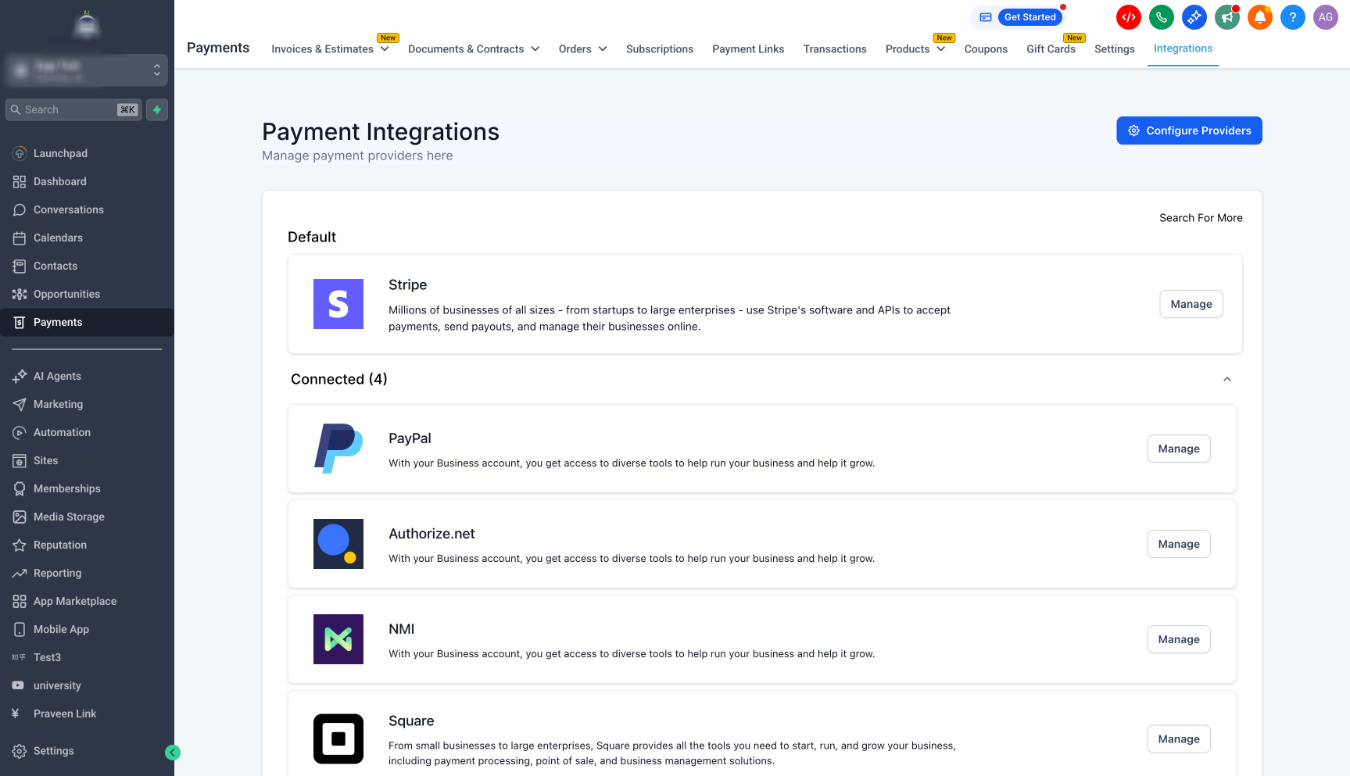
- Go to Payments from the left navigation
- Open the Integrations page
- Click the gear icon in the top right saying Configure Providers
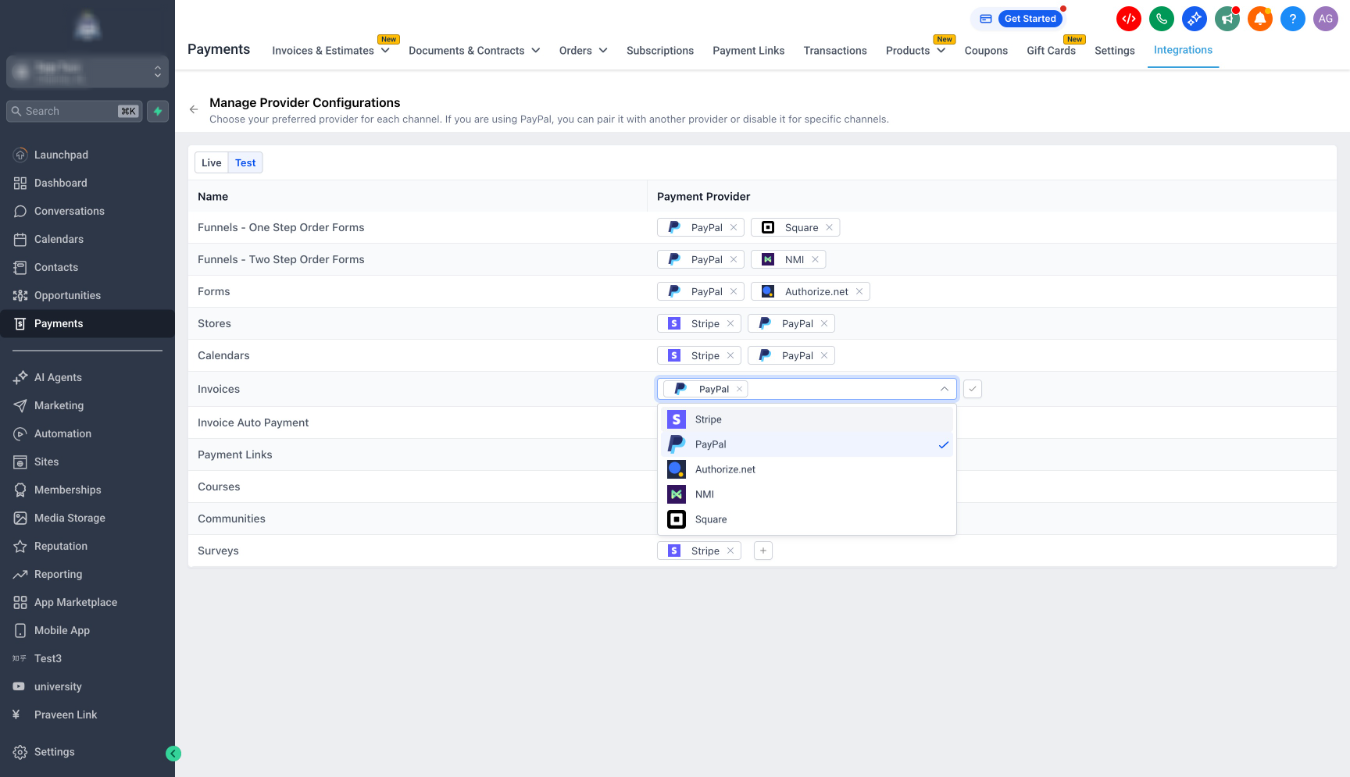
- Use the dropdowns to choose a provider for each channel in Live and Test mode
Notes
- The dropdown only shows providers that are already connected in the account. Help article and FAQsWhy it matters?
- More flexibility and control: You can decide which payment processor is used per channel, without changing your global default.
- Cleaner operations: Route payments through the right provider based on pricing, ticket size, and how that channel is used.
- Safer testing: Keep Test mode provider choices separate from Live mode so you can validate setups without impacting real transactions.
What is next?
- More channel coverage is coming. Supported channels today: Funnels One Step Order Forms, Funnels Two Step Order Forms, Forms, Stores, Calendars, Invoices, Invoice Auto Payment, Payment Links, Courses, Communities, Surveys
- Specific channels will now get the ability to configure providers per offerings. For example, Store 1 could use Stripe while Store 2 uses Square. This is under discussion and planned for future expansion.
Visuals
Checkout on Funnel with PayPal and Square both active
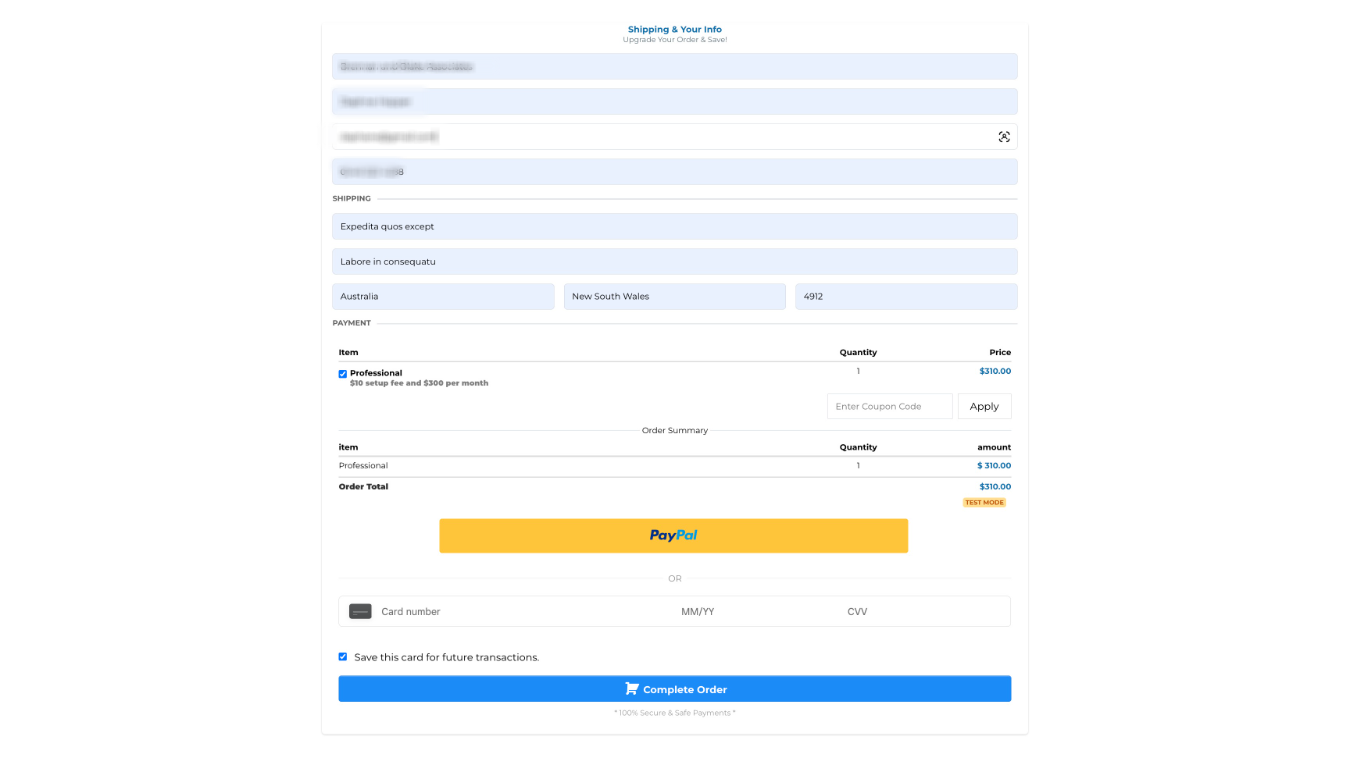
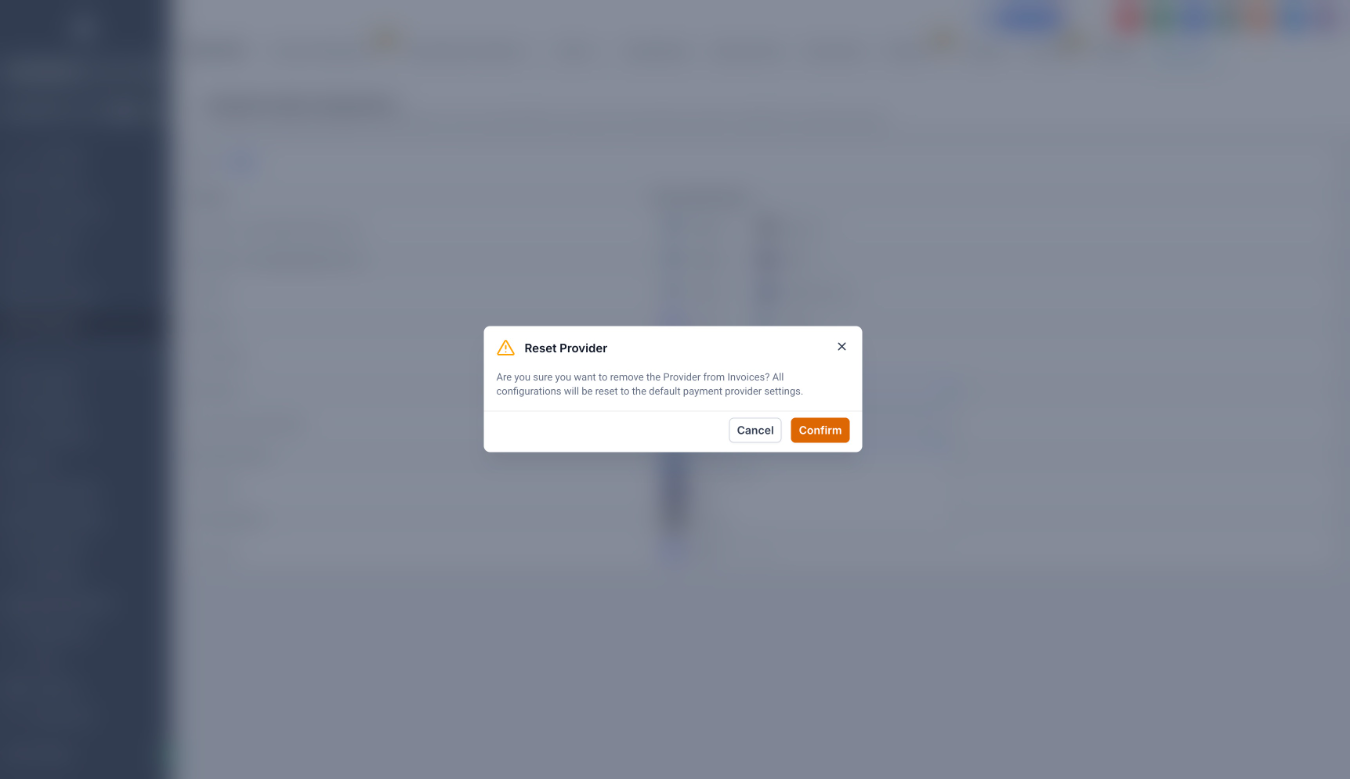
Checkout on Funnel when PayPal is removed from Configure Providers
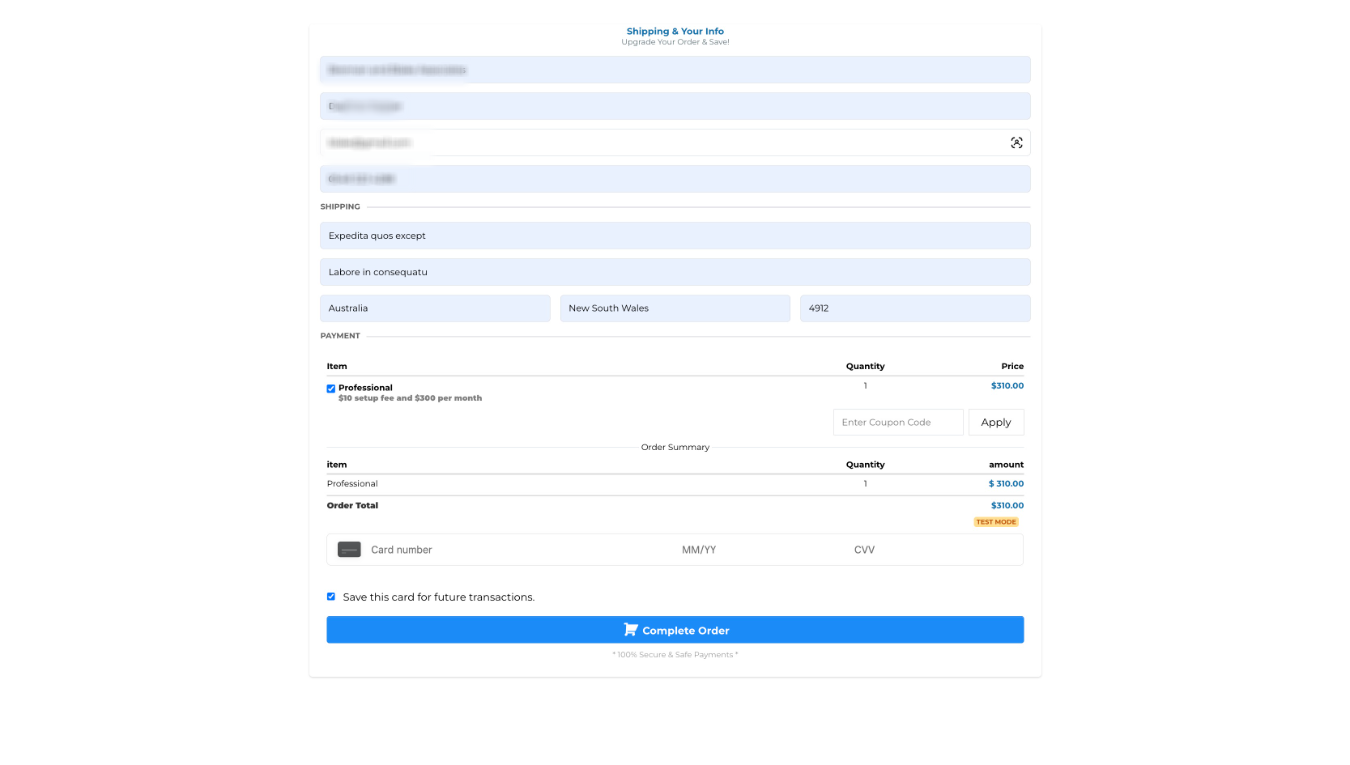
Was this article helpful?
That’s Great!
Thank you for your feedback
Sorry! We couldn't be helpful
Thank you for your feedback
Feedback sent
We appreciate your effort and will try to fix the article