Create unique email variations automatically to make cold outreach more personalized and less repetitive.
What is new?
You can create multiple variations of words, phrases, or entire sentences within a single email template, and emails will automatically select one variation when the email is sent.
Example: {SPIN| Hey | Hello | Hi} there!
Here the customer would either see "Hey there!" or "Hello there!" or "Hi there!".Spintax also supports nested Custom Values within variations and can be used in subject lines, preview text or the email body.
Impact
- Helps reduce content uniformity in cold email campaigns, supporting deliverability and SPAM best practices.
- Reduces repetitive content across large outreach sequences.
- Tests different messaging approaches without maintaining multiple versions of A/B.
- Achieves feature parity with leading cold outreach platforms.
How to use
- Open the email builder.
- Add your content variations inside curly braces after the keyword "SPIN" {SPIN|} and separate each option with a pipe |.
Example:
{SPIN|Hey|Hello|Hi} {{contact.first_name}}
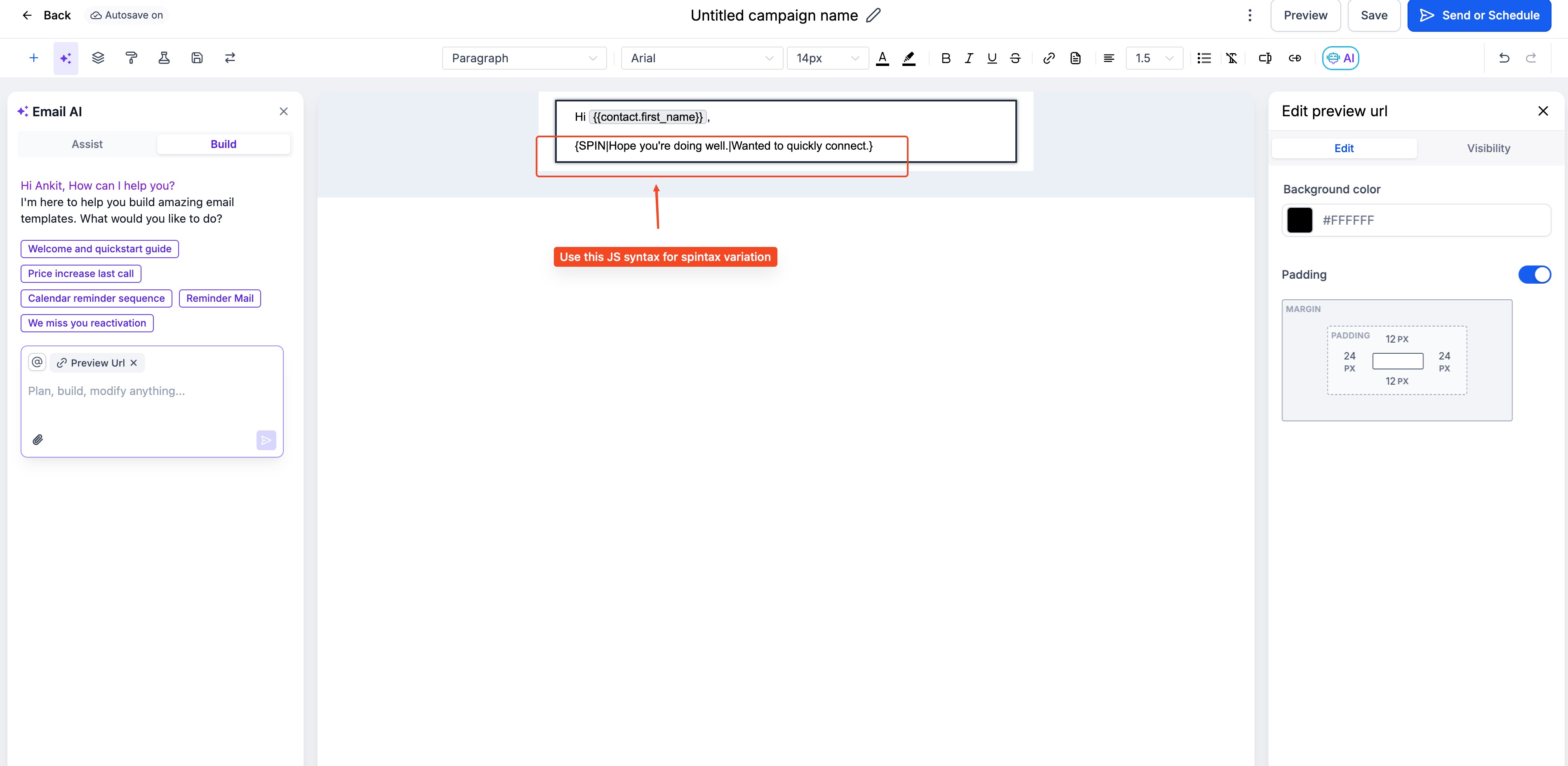
- Save your message or template.
- When the message is sent, we automatically select one of the options at random. You can test this in inbox post send.
Was this article helpful?
That’s Great!
Thank you for your feedback
Sorry! We couldn't be helpful
Thank you for your feedback
Feedback sent
We appreciate your effort and will try to fix the article